Google Reviews for Qatar Businesses: Get More Reviews Without Breaking the Rules
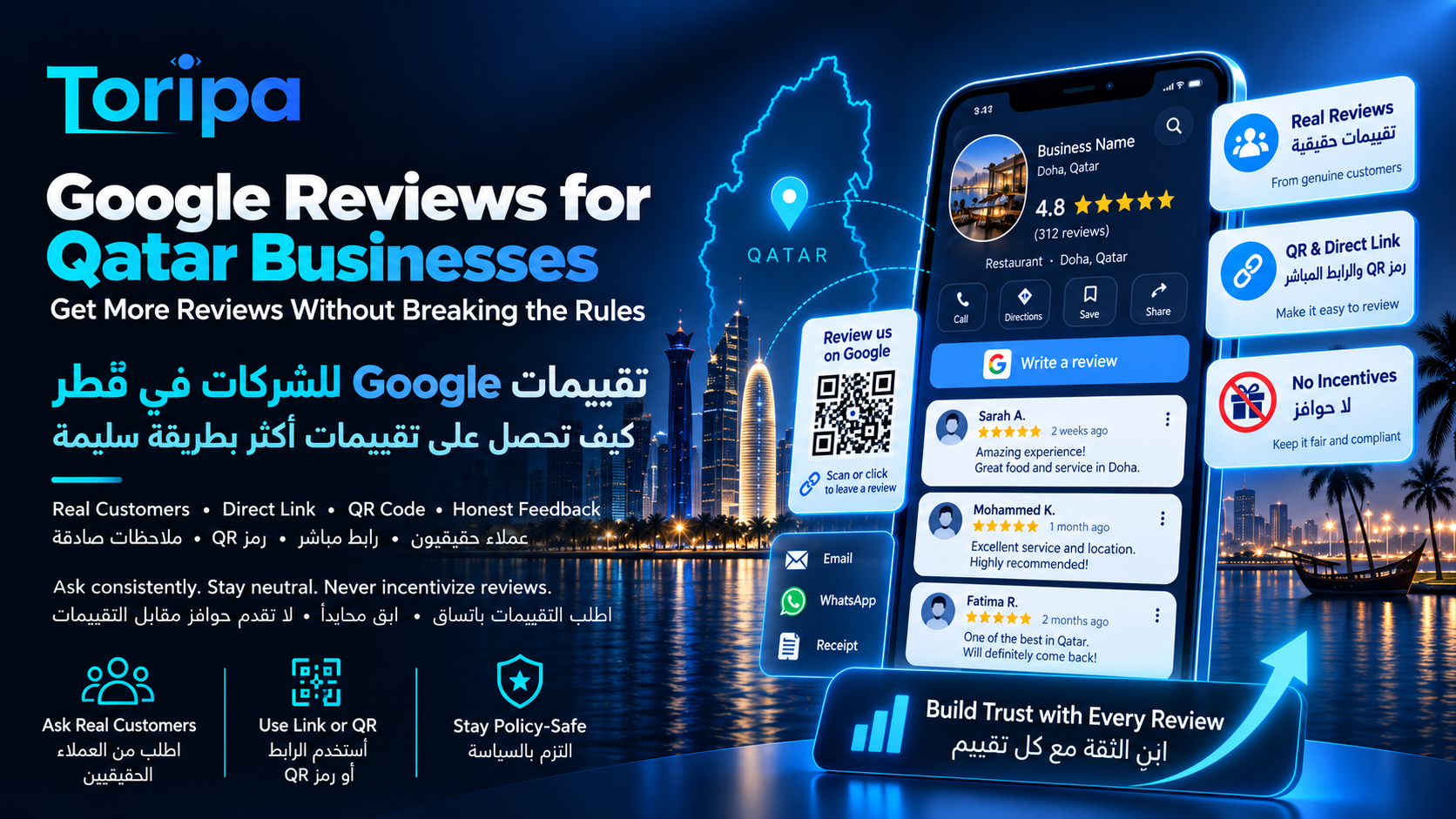
Google Reviews for Qatar Businesses: Get More Reviews Without Breaking the Rules
A strong review profile can help customers choose your business and can contribute to local prominence, but the safest way to grow it is not to chase five-star ratings. Google's current rules require reviews to reflect genuine, unbiased customer experiences. Incentives, review gating, scripted review content and artificial review campaigns can lead to removed reviews and Business Profile restrictions.
Ask real customers
Build a neutral request into the customer journey after a genuine service or purchase experience.
Reduce friction
Use Google's direct review link or QR code instead of making customers search for the profile manually.
Stay neutral
Do not buy reviews, gate unhappy customers, demand five stars or tell people what their review should say.
The short answer: build a review system, not a review trick
The most durable review strategy for a Qatar business is straightforward: serve real customers, ask them consistently for honest feedback, give them an easy route to the Google review form, and respond to what they say. The goal is a credible record of customer experiences over time—not a perfect-looking rating manufactured through discounts, selective requests or pressure.
Reviews sit inside the broader local-search system rather than replacing it. If you need the full framework around Business Profile, Maps visibility, website support, citations and lead measurement, use our local SEO in Qatar guide. For the wider organic-search strategy, see the SEO in Qatar guide.
What Google allows—and what crosses the line
Google's Maps policy is more specific than “do not buy fake reviews.” It also addresses how businesses solicit genuine reviews. The distinction to remember is simple: you may make it easy for real customers to share their experience, but you may not manipulate who reviews, how they rate you or what they say.
Allowed
Ask real customers for an honest review
Google allows businesses to encourage reviews when the feedback reflects a genuine experience and the business does not try to influence the rating or wording.
Allowed
Share Google’s review link or QR code
Google provides a direct review link and QR code. It suggests sharing them on receipts, in thank-you emails, at the end of chat interactions and, for QR codes, in-store.
Not allowed
Offer a reward for a review
Discounts, free products, free services, payments or other incentives in exchange for posting, changing or removing a review are treated as fake engagement.
Not allowed
Only ask customers you expect to rate you highly
Google prohibits discouraging negative reviews and selectively soliciting positive reviews. A satisfaction survey cannot be used as a gate that sends only happy customers to Google.
Not allowed
Tell the customer what to write
Do not require specific wording, keywords, services, staff names or other content in the review. The customer should decide what is relevant to their own experience.
Not allowed
Pressure customers or set staff review quotas
Google says merchants should not require or pressure users to leave reviews while still on the premises, and specifically prohibits staff requests tied to a required number or specified review content.
A compliant Google review workflow for Qatar businesses
You do not need a complicated reputation platform to start. A small clinic, restaurant, salon, contractor, professional practice or B2B company can use a simple repeatable process. What matters is that the process is connected to real customer experiences and does not sort customers by expected rating.
Create the official Google review link
Open the Business Profile, choose Read reviews, then Get more reviews. Copy the review link. On a computer browser, Google also lets you download a QR code for the same destination.
Choose a natural post-service moment
Ask after the genuine customer experience is complete: for example after delivery, a completed appointment, a resolved support case or a confirmed project milestone. The request should not interrupt service or create pressure while the customer is still standing at the counter.
Ask customers consistently, not selectively
Use a neutral rule that applies to ordinary eligible customers rather than choosing only the people who already told you they are delighted. Consistency is safer than trying to engineer a perfect rating.
Make leaving the review easy
Send the direct link through an appropriate channel such as a thank-you email or WhatsApp conversation, or make the QR code available where customers can scan it voluntarily. Remove unnecessary steps between the request and Google.
Use neutral wording
Ask for an honest review of the customer’s experience. Do not ask for five stars, a positive review, particular keywords or a named employee. The safest request leaves the rating and content entirely to the customer.
Reply and learn from the feedback
Respond professionally where useful, especially when a review raises a question or problem. Treat recurring criticism as operational data rather than trying to make every negative comment disappear.
How to create and use Google's review link and QR code
Google now provides the review-request link directly from the Business Profile. Go to the profile, select Read reviews, then Get more reviews. You can copy the direct link. Google's current documentation says the QR code can be generated from a computer browser; you can then download it and use it in appropriate customer-facing material.
Good places for the link
Thank-you emails, completed-support chats, WhatsApp follow-ups, digital receipts and other post-service communications where the customer can choose whether to respond.
Good places for the QR code
Printed receipts, a discreet counter sign, a table card, handover paperwork or other material customers can scan voluntarily. Do not turn the QR code into a demand to review before they can leave.
For Qatar businesses that already use WhatsApp heavily for appointment confirmations, service updates or after-sales conversations, the direct review link can fit naturally into the final thank-you message. The key is timing and neutrality: the customer has already had the experience, and the message asks for honest feedback rather than a particular score.
Review-request wording you can actually use
A compliant request does not need persuasive language. In fact, simpler is usually safer. These templates deliberately avoid “five stars,” “positive review,” rewards and instructions about what the customer should mention.
Short WhatsApp or chat request
“Thanks for choosing us. If you have a moment, you can share an honest Google review about your experience here: [review link]. Your feedback helps other customers understand what to expect.”
Thank-you email follow-up
“Thank you for your business. If you would like to share feedback about your experience, our Google review page is here: [review link]. We appreciate honest feedback of any kind and use it to improve our service.”
Receipt or QR-code prompt
“How was your experience? Scan to leave an honest Google review. Feedback is voluntary and helps us improve.”
If your customer base uses Arabic and English, it is reasonable to send the request in the language you already use with that customer. Do not require the review itself to be in a particular language or to contain target search phrases. The customer should write naturally in the language and level of detail they prefer.
Review gating is not a safe workaround
Review gating means screening customers first and steering only the likely-positive group to a public review platform. It can look harmless because every resulting review may come from a real customer, but Google's current policy explicitly prohibits selectively soliciting positive reviews and discouraging negative reviews.
Do reviews need keywords to help local SEO?
Do not turn customers into SEO copywriters. Google's review-solicitation policy says merchants should not request specific content, so asking every customer to mention “best dentist in Doha,” “AC repair Qatar” or a particular employee is the wrong approach. A useful review profile should look like real customers describing real experiences in their own words.
Reviews can still support local visibility without scripted keywords. Google states that more reviews and positive ratings can contribute to prominence, one of the main local-ranking factors. That is a reason to earn authentic feedback over time—not a reason to manufacture keyword-heavy review text or assume review count alone guarantees a Maps position.
How to respond to reviews without making things worse
Review responses are public. Google recommends professional, relevant and concise replies rather than repetitive generic messages. For a Qatar business, the response should protect customer privacy and focus on resolving the issue—not winning an argument in public.
Positive review
Thank the customer briefly and specifically enough to sound human. Avoid turning every response into an advertisement or copying the same paragraph under dozens of reviews.
Constructive negative review
Acknowledge the experience, correct any clear factual misunderstanding calmly, and move account-specific or personal details to a private channel. Do not argue, threaten or reveal customer information.
Potential policy violation
Flag a review when it violates Google’s content policies—for example spam or another prohibited category. Do not report a review merely because it is critical; Google says it does not mediate ordinary business-customer disputes.
A useful negative-review response pattern
Thank the customer for the feedback → acknowledge the concern without exposing private details → state the next practical step → invite them to continue through a private support channel. Avoid promising an incentive in exchange for editing or deleting the review.
When should you report a Google review?
Report a review when you have a policy reason—not merely because the review is one star. Google's reporting guidance says it does not remove reviews simply because a business dislikes them and does not mediate ordinary disputes between a business and its customers. Policy-violating content can be flagged from the Business Profile and monitored through Google's Reviews Management Tool.
Reasonable to report
Spam, fake engagement, prohibited content, clear conflicts of interest or other content that fits Google's documented policy categories.
Usually not a removal case
A genuine customer is unhappy, disputes the quality of the service, gives a low rating or describes events differently from how the business remembers them.
Fake or incentivized reviews can create profile-level consequences
The risk is no longer limited to a suspicious review being deleted. Google's current Business Profile enforcement guidance says fake-engagement violations can lead to the offending reviews being removed and can also trigger restrictions such as a temporary block on new reviews, temporary unpublishing of existing reviews, or a warning on the Business Profile telling customers that fake reviews were removed.
That makes purchased review packages, reciprocal review schemes, employee reviews and incentive campaigns a poor trade. A slower stream of genuine customer feedback is far more defensible than a sudden volume pattern that exists only because someone tried to manufacture reputation.
A 10-point review-policy audit for your team
One official review link is stored where customer-facing staff can access it.
The request is sent only after a real customer experience has occurred.
The same neutral eligibility rule is used instead of asking only visibly happy customers.
No discount, giveaway, free service, loyalty points or other reward is tied to a review.
No one asks for five stars, a positive review, keywords, a staff name or scripted wording.
Staff are not given quotas for a required number of reviews.
Customers are not pressured to complete the review while they are still on-site.
Review responses have an owner and a reasonable internal response routine.
Critical reviews are assessed for service lessons before anyone considers reporting them.
Only reviews that appear to violate Google policy are escalated for removal review.
Where Toripa Tech can help
Ongoing SEO services in Qatar combining technical maintenance, on-page optimization, Qatar-focused content publishing, internal linking, local SEO, Search Console monitoring, and conversion-focused continuous improvement.
The current service starts at Starting from QAR 999/month. The starting price is intended for a focused Qatar small-business campaign on an existing website, typically including continuous technical/on-page optimization, Search Console monitoring, internal linking, local-search improvements where relevant, monthly reporting, and up to two focused SEO content pieces per month. Larger websites, highly competitive industries, heavier Arabic/English content production, digital PR/link outreach, multi-location SEO, e-commerce catalogues, paid-media management, or unusually high publishing volume require a larger scope.
Official Google sources used for this guide
Google can change Business Profile and Maps content policies over time. The sources below are Google's own documentation and were reviewed on 18 September 2026.
Tips to get more reviews
Google’s Business Profile guidance on asking customers for reviews, valuing balanced feedback and replying professionally.
Official sourceCreate a Google link or QR code to request reviews
Google’s current steps for creating a direct review link and QR code, plus examples of approved places to share them such as receipts, thank-you emails and chat interactions.
Official sourceProhibited and restricted content — Maps User Contributed Content Policy
The core policy covering fake engagement, incentives, conflicts of interest, selective positive-review solicitation, on-premises pressure, staff quotas and requests for specified review content.
Official sourceManage customer reviews
Google’s instructions for reading and replying to reviews, including the requirement for a verified Business Profile before replying.
Official sourceReport inappropriate reviews on your Business Profile
Google explains that only policy-violating reviews are eligible for removal and that ordinary negative feedback should not be reported simply because a business dislikes it.
Official sourceBusiness Profile restrictions for policy violations
Google describes potential enforcement for fake-engagement violations, including removed reviews, temporary review restrictions, unpublished existing reviews and profile warnings.
Official sourceTips to improve your local ranking on Google
Google’s explanation of relevance, distance and prominence, including its statement that review volume and positive ratings can contribute to local prominence.
Official sourceFrequently asked questions about Google reviews in Qatar
Can a business in Qatar ask customers for Google reviews?
Yes. Google allows businesses to ask customers to share reviews that reflect genuine experiences, provided the business does not offer incentives or try to influence the rating or wording. A direct Google review link or QR code is the simplest compliant method.
Can I give a discount or gift for a Google review?
No. Google treats payments, discounts, free products, free services and similar incentives offered in exchange for posting, changing or removing a review as fake engagement.
Is it okay to ask only happy customers for reviews?
No. Google prohibits selectively soliciting positive reviews and discouraging negative feedback. Use a neutral review-request process rather than filtering customers according to expected sentiment.
Can I ask customers to mention a service or staff member in the review?
You should not require or steer customers toward specific review content. Google’s policy says merchants should not request that specific content be included, including content identifying a staff member. Ask for an honest review and let the customer decide what to write.
Can I send the Google review link through WhatsApp?
Yes. Google’s own review-link guidance specifically notes that businesses can ask for reviews through channels including email, WhatsApp messages and Facebook posts. The request still needs to follow the genuine-experience and no-incentive rules.
Can I remove a bad Google review?
Only when the review violates Google policy should you flag it for removal. Google says not to report reviews merely because you dislike them or disagree with an ordinary customer complaint. For legitimate negative feedback, a calm public response is usually more appropriate.
Do more Google reviews guarantee a higher Maps ranking?
No. Google says review count and positive ratings can contribute to local prominence, but local results are based mainly on relevance, distance and prominence together. Reviews are useful for reputation and can support local visibility, but they are not a standalone ranking guarantee.
Ongoing SEO, Content & Growth in Qatar
We continuously improve the website, publish search-focused content, strengthen internal linking, monitor real search data, and keep iterating toward more qualified organic traffic and leads instead of treating SEO as a one-time checklist.
Free SEO review and growth-plan discussion with no obligationReady to Grow Your Business Online?
Let's discuss how we can help you build a powerful online presence that attracts customers and drives results.
Get in Touch