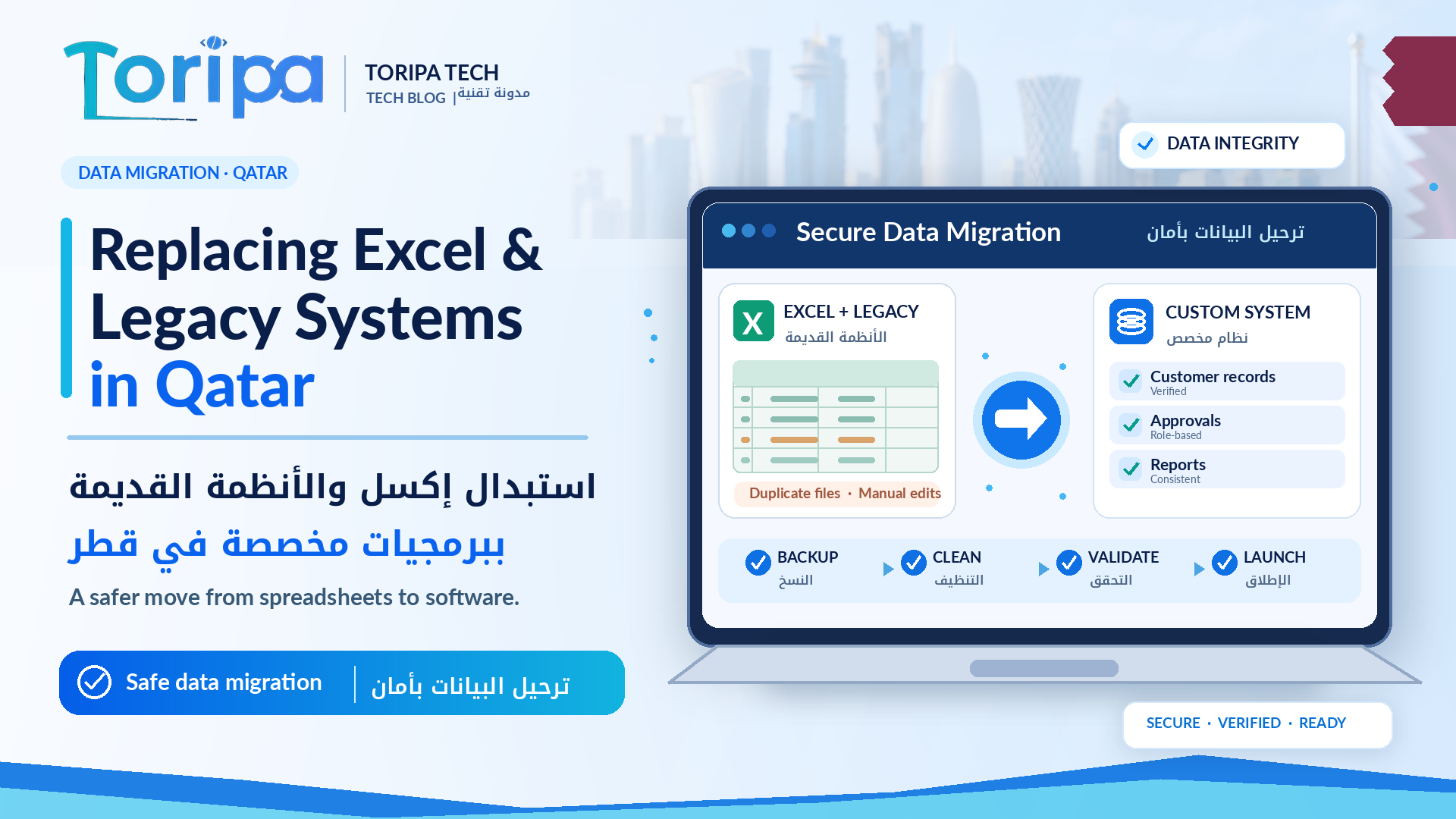
Data migration and business systems · Qatar
Replacing Excel and Legacy Systems with Custom Software in Qatar
If essential work depends on a maze of Excel files or an ageing application, buying new software is only half the challenge. The difficult part is moving trustworthy data and daily work without losing control of either.
This guide shows Qatar businesses when to make the move, how to prepare spreadsheet and legacy data, and what a careful phased changeover looks like—from the first inventory to the final sign-off.
Six signs Excel or legacy software is holding the business back
Spreadsheets are useful tools, not a problem by themselves. A carefully maintained Excel workbook can still be the right choice for budgeting, analysis and simple lists. The warning signs appear when a file becomes the shared operating system for customers, approvals, stock, contracts or recurring services.
No reliable single record
Three departments maintain different copies of the same customer or job sheet, and nobody knows which is current.
Approvals live in messages
Staff email or message screenshots of rows for approval, with no dependable record of who authorised a change.
Files break when a person leaves
One colleague understands the formulas, macros or old database. Routine work stalls when that person is unavailable.
Sensitive data is too widely shared
A workbook is distributed to everyone even though finance, operations and sales should see different information.
Reporting takes manual reconciliation
Month-end figures require copying between spreadsheets, fixing formats and checking totals repeatedly.
The old system cannot change safely
A legacy application lacks needed integrations, has limited support or makes each workflow change disproportionately risky.
If most of these issues are absent, an improved template, access policy or existing cloud tool may be enough. If they recur across multiple teams, investigate a shared database-backed workflow before they become routine operational risks.
Replace, configure or keep Excel?
Keep and improve Excel
Best for limited users, light collaboration and work where formulas or ad hoc analysis are the main value. Strengthen ownership, permissions, version control and backups.
Configure a packaged tool
Consider an established CRM, ERP or workflow platform if your process is reasonably standard. Test imports, Arabic support, subscriptions, integrations and export rights first.
Build a focused custom system
Evaluate custom software when multiple roles need a shared source of truth, distinctive approvals or integrations that a packaged tool cannot support economically.
A sensible first release might replace only order intake and approvals while accounting continues in an existing application. Avoid recreating every macro and screen simply because it exists today. The goal is a safer and more useful process—not a pixel-for-pixel copy of the old one.
For the wider decision, start with our custom software development guide for businesses in Qatar.
Inventory the data before anyone imports it
Ask each department where its information actually lives. The answer is often a combination of shared workbooks, one person's desktop files, a legacy database, exported reports and email attachments. The inventory should identify a business owner who can approve meaning and accuracy—not just someone who knows how to open the file.
| Potential source | What to inspect | Who validates it |
|---|---|---|
| Customer and supplier workbooks | Names, IDs, phone numbers, addresses, statuses | Sales or operations owner |
| Orders, inventory or finance exports | Reference numbers, line items, balances, dates | Finance or warehouse owner |
| Legacy database or desktop application | Relationships, historical records, permissions | System administrator |
| Shared drives and email attachments | Supporting documents, approvals and evidence | Department lead |
For each dataset, record its approximate size, format, last update, field definitions, linked files, sensitive information and proposed destination. Decide what needs to remain searchable in the new system and what can be retained securely as historical evidence. Importing years of unused files without a purpose raises cost and complexity.
Common Excel-to-software migration mistakes—and how to avoid them
Data that appears correct on-screen can change during export or import. Microsoft documents how Excel's automatic conversions can alter leading zeroes, long identifiers and date-like text. Its Excel data-import guidance explains why controlling column types matters.
Reference numbers lose leading zeroes
Keep identifiers such as 000784 as text, not calculated numbers; compare exported IDs to the source before import.
Dates become ambiguous
Agree on a single date format, preserve original values and verify day/month interpretation on representative records.
Arabic text or names become corrupted
Test UTF-8 encoding, Arabic/English search, right-to-left display and names containing both scripts.
Duplicate people and businesses are merged incorrectly
Match using agreed identifiers and review uncertain duplicates; names alone are rarely safe merge keys.
Workbook formulas hide business rules
Document how totals, discounts, statuses and approvals work; rebuild and test the approved rules separately.
Attachments and historical approvals disappear
Map linked files, owners, history and audit requirements before deciding what to migrate or archive.
For Qatar businesses, test Arabic and English content deliberately: customer names, addresses, invoice notes, phone numbers and mixed-language PDFs may behave differently across exports and interfaces. Microsoft also provides guidance for opening UTF-8 CSV files correctly. Keep an untouched original so any transformation can be traced and reversed.
Seven stages of a safer migration project
The exact method depends on the software and data, but a reliable project separates data preparation, technical import and acceptance by the people who use the system. Rushing straight from export to launch skips the checks that reveal most costly surprises.
1. Inventory and decide what matters
List every source, business owner, record type, integration, dependency and retention need. Separate current records from historical material that can remain in a secure archive.
2. Define the target workflow and mapping
Agree what a customer, order, job or approval means in the new system. Map each old column to its destination, required fields and validation rules.
3. Secure the originals and clean a copy
Keep restricted, recoverable backups. Standardise types, remove genuinely unwanted records only with approval, and log every transformation.
4. Rehearse a sample migration
Import a representative sample with long names, Arabic records, large orders, empty fields and troublesome dates. Let business users verify the results.
5. Test the work, not only the import
Check permissions, searching, calculations, reports, document links and daily tasks. Record accepted discrepancies and block launch for critical failures.
6. Cut over with an exit route
Choose a source freeze or controlled final change capture, run the validated import, reconcile results and obtain named business approval. Define who can stop or reverse the switch.
7. Support users and retire safely
Provide role-based training, a support contact and early monitoring. Keep the previous records protected and available for the agreed period before retiring old access.
Microsoft's implementation guidance treats cutover as a coordinated business activity, not merely a technical file transfer. This is especially important when order processing, billing or branch operations must continue during a changeover.
What does data reconciliation actually look like?
Consider a fictional Doha service company migrating 1,200 customer records from several workbooks. A preliminary review identifies 38 duplicate entries confirmed by the business owner and 12 records with missing mandatory identifiers.
Original entries
1,200
Approved duplicates
38
Records awaiting resolution
12
Validated for sample import
1,150
The check is 1,200 − 38 − 12 = 1,150, with the 12 unresolved source records retained for investigation. The numbers are illustrative, not a result from a real Qatar project. A correct migration does not need identical raw row counts when approved transformations are documented; it needs an explainable trail for every difference, plus checks of balances, linked records and representative transactions.
Pick a cutover method that fits daily operations
Choosing how staff switch systems is just as important as getting files into a database. Compare the operating impact of these options before setting a go-live date.
Pilot or phased rollout
Start with one branch, team or process. Confirm data quality and usability before expanding. Useful when operations cannot tolerate a single sudden change.
Short parallel period
Run reports in both systems for a controlled period to compare outputs. Designate the system of record for each field so dual entry does not create conflicting updates.
Single cutover window
May suit a small, well-understood dataset when downtime, backups, user access and rollback are rehearsed. It is not automatically the quickest or safest option.
For an accounts team closing its books or a warehouse approaching peak orders, the best launch window may be after a reporting deadline rather than on the first available Friday. Agree a source-system freeze or a method to capture changes made after the rehearsal. Keep a tested rollback procedure, including how to handle orders and approvals created after go-live. A backup alone is not a rollback plan.
Protect customer, employee and supplier data during the move
Customer contacts, staff records and other personal information deserve controlled access throughout migration—not only after launch. Decide who may export source files, where temporary copies are stored, how they are transferred, when they are removed and who can inspect migration logs.
Qatar's National Cyber Security Agency explains personal data privacy protection under Law No. 13 of 2016. Its guidance hub covers topics such as controllers, processors and privacy by design. Your organisation's specific duties depend on the records and processing arrangements; obtain appropriate compliance advice rather than assuming every migration is identical.
Practical safeguards include restricted migration accounts, encrypted transfers where appropriate, separate test and live environments, masking personal data in demonstrations, and access checks for finance, branch managers and general staff. Verify that the archive and any third-party migration support are covered by clear responsibilities.
Staff adoption: the part a successful import cannot solve
The old spreadsheet may be familiar even when it is frustrating. Ask staff to test real tasks before launch: raising a new order, correcting a customer address, approving a request, finding an Arabic name, exporting a report and recovering from a mistake. Test with actual role permissions, not just an administrator account.
Design short, role-specific training for sales, operations, finance and managers. Appoint a responsible person in each team to collect problems and communicate changes. During the first days of use, review blocked tasks and unexpected data issues promptly; avoid leaving employees to reconstruct old spreadsheets as an unofficial workaround.
For the larger planning context, see our software development guide for Qatar.
Before the switch: a business owner's acceptance checklist
Do not close the old application simply because the new login page works. A successful sign-off means the team can perform the most important business processes, reconcile required information and obtain support when something goes wrong.
Plan a manageable first system with Toripa Tech
Start with the workflow people need to complete, the files they rely on and the records that must remain accurate.
Some businesses need more than a public website. They need a system that matches how their work actually happens. Toripa Tech develops custom software solutions that organize data, simplify operations, reduce manual work, and give teams better tools to manage their business.
Share representative exports without exposing unnecessary personal data, explain who uses each workbook and identify the applications that must remain connected. The migration method and responsibilities should be agreed as part of the proposed scope, based on what the existing data allows.
Custom Software Development: Starting from QAR 12,000. Typical timeline: 3–6 weeks. These are the published starting price and indicative service timeframe. They do not include a promise that a particular legacy migration can be completed for that price or within that period.
Replacing Excel and old systems in Qatar: FAQs
When should a Qatar business replace Excel with custom software?
Consider a replacement when shared spreadsheets cause repeated errors, fragmented records, weak access control or lengthy approval and reporting work. Excel remains appropriate for small, well-governed analysis and one-person tasks. Test whether an existing product meets your needs before commissioning a custom system.
Can existing Excel files be moved into a new business system?
Often yes, once columns, data types, duplicates, ownership and permissions have been assessed. A migration is not just uploading a spreadsheet: relationships, formulas, documents and historical changes may need separate handling, validation or secure archiving.
Will migration lose our old records?
A carefully planned migration aims to prevent loss through original backups, repeatable imports and reconciliation. No provider should promise zero risk without examining the source data. Agree which records move, which stay archived and what happens if a test fails.
How do we preserve Arabic data and Qatar phone numbers?
Use a tested text encoding such as UTF-8, preserve identifiers and phone numbers as text, and validate Arabic names, mixed-language content, right-to-left screens and search results using real examples. Import settings can otherwise alter values such as leading zeroes.
Do we need to shut down the old system on launch day?
Not necessarily. A pilot, phased rollout or controlled parallel reporting can reduce risk. If the old system stays available, specify whether it is read-only and where new updates are recorded. A rollback plan must account for transactions created after the switch.
Does Qatar have privacy requirements for migrating customer data?
Qatar's Personal Data Privacy Protection Law No. 13 of 2016 is relevant to many forms of personal-data processing. Assess which obligations apply to your organisation, dataset, vendors and processing arrangements before transferring customer or employee information. Seek qualified advice where needed.
How much does it cost to replace Excel or an old application in Qatar?
The cost depends on the number of workflows, data quality, integrations, permissions, reporting, training and migration complexity. Toripa Tech lists Custom Software Development Starting from QAR 12,000; that is a catalogue starting point, not a fixed quotation for replacing a particular legacy system. Review a defined scope and migration responsibilities before comparing proposals.
Ready to Grow Your Business Online?
Let's discuss how we can help you build a powerful online presence that attracts customers and drives results.
Get in Touch